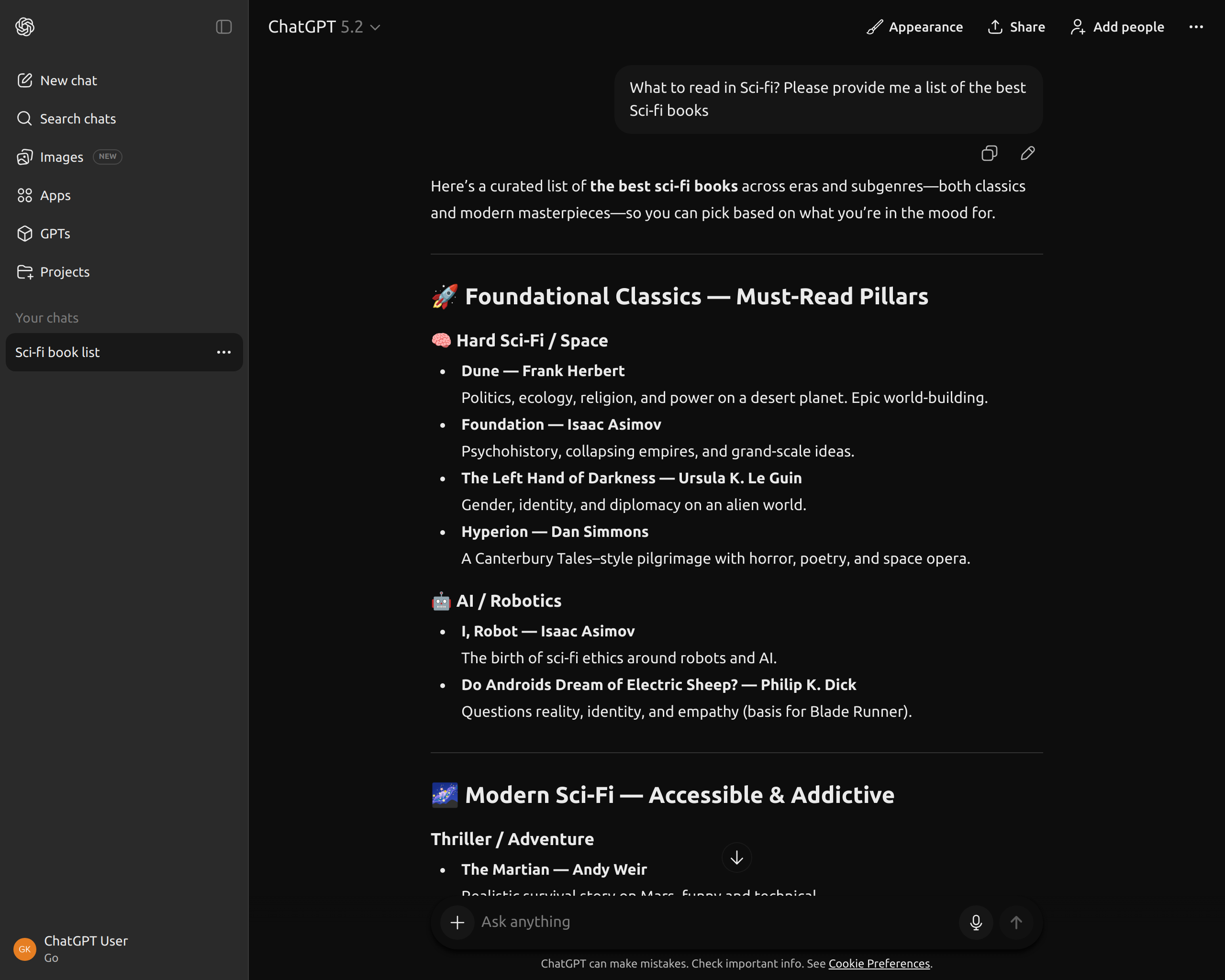
ChatGPT Dark Theme: How to Enable True Dark Mode
If you use ChatGPT daily, especially in the evening or at night, the default interface can quickly become uncomfortable. Even with the built-in dark mode enabled, many users notice that it still feels too bright and inconsistent.
In this guide, we’ll look at what “true dark mode” actually means for ChatGPT, why the default option often isn’t enough, and how you can enable a proper dark theme that’s easier on your eyes.
Does ChatGPT have a dark theme?
Yes, ChatGPT includes a basic dark mode that you can enable in the settings. However, it’s more of a dark color palette than a true dark theme. Large parts of the interface remain dark gray instead of black, contrast isn’t always optimal, and some UI elements still feel overly bright during long sessions.
For casual use this might be fine, but if you spend hours reading or writing in ChatGPT, these small details start to matter.
What is a “true” dark theme?
A true dark theme is designed to reduce eye strain by using very dark backgrounds, consistent contrast, and carefully balanced text colors. It avoids unnecessary brightness and minimizes visual noise.
In practice, this means:
- Deeper, near-black backgrounds instead of dark gray
- Comfortable text contrast without harsh whites
- Consistent colors across the entire interface
- Better readability during night sessions
Why the default ChatGPT dark mode feels limited
ChatGPT’s built-in dark mode is intentionally minimal. It’s designed to work for everyone, across devices and environments, which also means it avoids more opinionated design choices.
Because of this, you can’t:
- Adjust background darkness
- Change accent colors
- Improve contrast for long reading sessions
- Customize the overall visual style
If you’re sensitive to brightness or work late hours, this limitation becomes noticeable very quickly.
The easiest way to enable a true dark theme in ChatGPT
The most reliable way to enable a proper dark theme is by using a browser extension that customizes the ChatGPT interface directly.
ChatGPT Theme Studio is a lightweight Chrome extension that applies curated themes inside ChatGPT without modifying its functionality. Themes are applied instantly and focus purely on visual comfort.
A true dark theme, for example, uses deeper background tones, softened text contrast, and removes unnecessary highlights.
How to enable ChatGPT dark theme step by step
- Install the ChatGPT Theme Studio extension
- Open ChatGPT in your browser
- Choose a dark or true dark theme from the theme panel
- The interface updates instantly without reloading
There’s no setup process and no configuration required. You can switch themes at any time with a single click.
Who benefits most from a true dark theme?
A proper dark theme is especially useful for:
- Developers writing or reviewing code in ChatGPT
- Writers and students reading long responses
- Users working late at night or in low-light environments
- Anyone sensitive to bright interfaces
If ChatGPT is part of your daily workflow, improving visual comfort can make a real difference.
Is using a dark theme extension safe?
Yes. ChatGPT Theme Studio only changes visual styles such as colors and layout. It does not read, store, or send your conversations anywhere. All changes happen locally in your browser.
The extension does not affect ChatGPT’s behavior, responses, or performance.
Final thoughts
ChatGPT’s default dark mode is a good starting point, but it’s not a true dark theme. If you spend a lot of time in ChatGPT, a deeper and more consistent dark interface can significantly reduce eye strain and improve focus.
Using a dedicated theme extension is the simplest way to unlock a real dark mode without hacks or manual tweaks.
If you want to try a true dark theme instantly, ChatGPT Theme Studio lets you do that in seconds.
Want to try it instantly?
Install ChatGPT Theme Studio and change your ChatGPT theme in seconds.
Install Extension