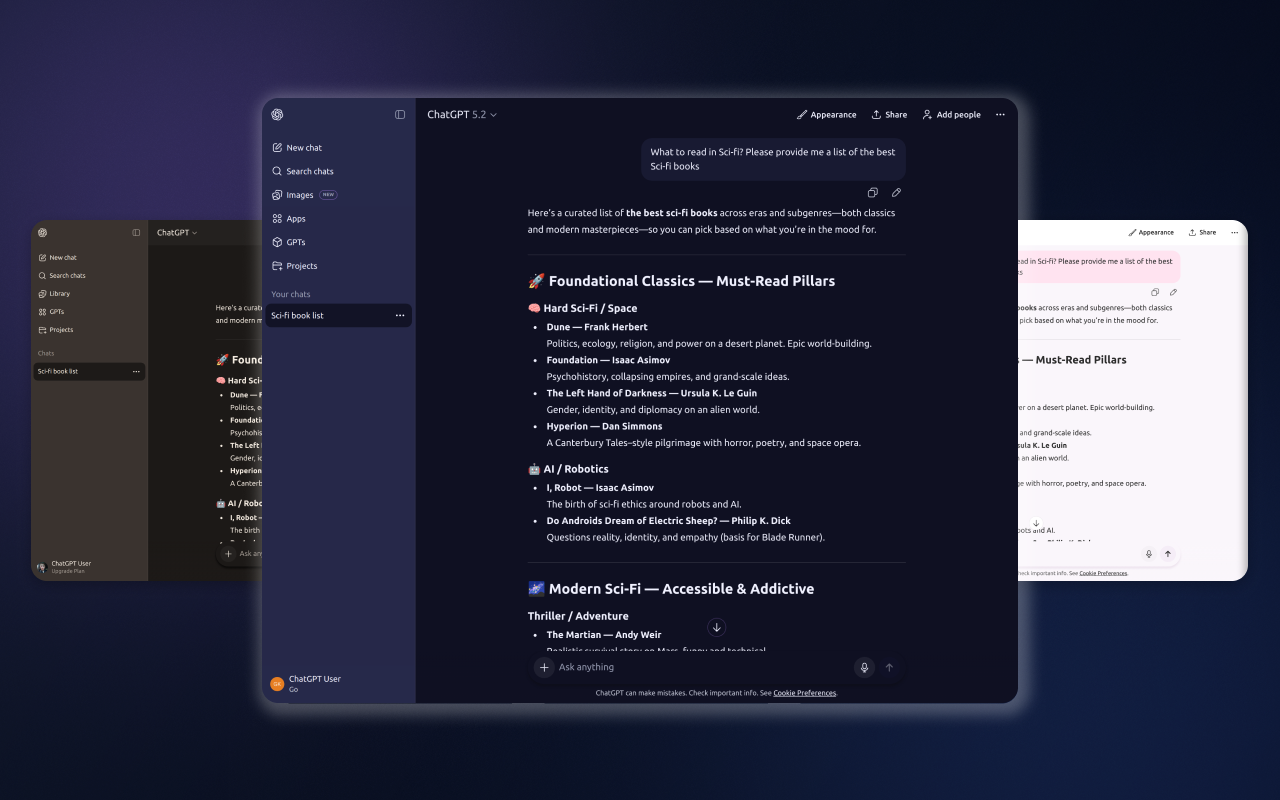
How to Change ChatGPT Theme
ChatGPT does not offer real theme customization out of the box. Aside from basic light and dark modes, the interface looks the same for everyone. If you spend hours writing, coding, or researching in ChatGPT, this quickly becomes a problem.
In this guide, you'll learn the simplest way to change the ChatGPT theme, apply true dark mode, and customize the interface in seconds — without hacks or manual CSS.
Does ChatGPT support custom themes?
By default, ChatGPT only provides a basic light and dark mode. There are no options to adjust colors, contrast, spacing, or visual comfort. This makes long sessions tiring, especially for developers, writers, and designers.
To properly customize the ChatGPT interface, you need a browser extension that applies themes directly inside the app.
The fastest way to change the ChatGPT theme
The easiest solution is ChatGPT Theme Studio — a lightweight Chrome extension that lets you switch between curated themes instantly.
- No account or setup required
- Works directly inside ChatGPT
- Applies themes instantly, no page reloads
- Safe: runs fully in the browser
Once installed, a theme panel appears inside ChatGPT where you can preview and apply themes in one click.
How to change the ChatGPT theme (step by step)
- Install ChatGPT Theme Studio from the Chrome Web Store
- Open ChatGPT in your browser
- Select a theme from the built-in gallery
- The interface updates instantly
No configuration, no refresh, no learning curve.
Popular ChatGPT themes
Different tasks benefit from different visual styles. Some of the most popular options include:
- Noir — true dark mode with deep blacks for night sessions
- Pastel — soft, low-contrast colors for long reading and writing
- Dust — warm, muted tones for a focused, distraction-free look
Themes are designed to reduce eye strain while keeping the interface clean and readable.
Is it safe to use a ChatGPT theme extension?
Yes. ChatGPT Theme Studio does not read, store, or track your conversations. It only modifies visual styles such as colors and layout. Everything runs locally in your browser.
Who is this for?
- Developers working long hours in ChatGPT
- Writers and students who read large responses
- Designers who care about visual consistency
- Anyone who wants a cleaner ChatGPT interface
If you use ChatGPT daily, a better interface makes a noticeable difference.
Want to try it instantly?
Install ChatGPT Theme Studio and change your ChatGPT theme in seconds.
Install Extension