ChatGPT Theme Studio Logo ChatGPT Theme Studio

Make ChatGPT look the way you want

— clean, modern, and personal themes.

Install from Chrome Web Store

No signup needed. Works instantly.
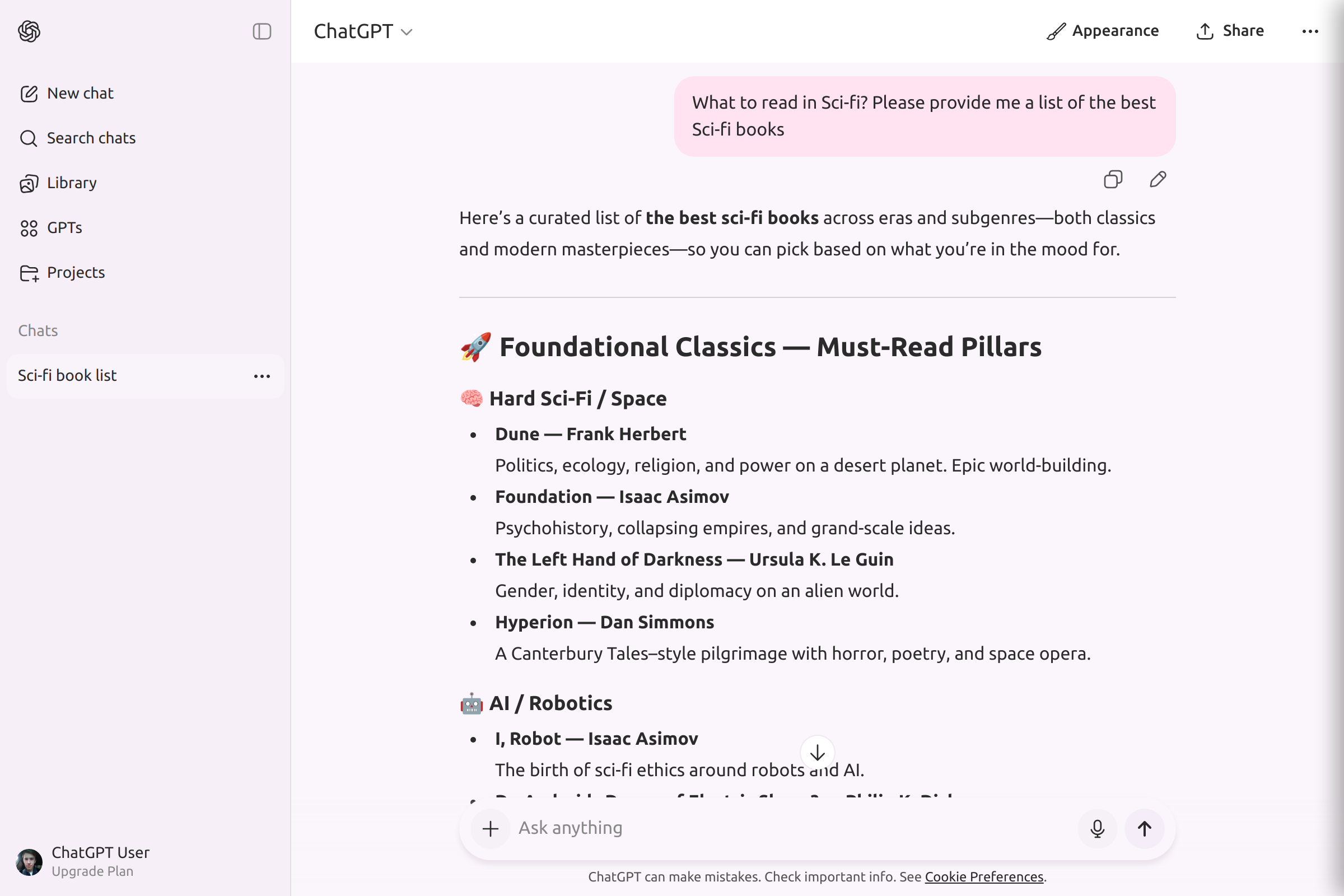
ChatGPT with theme applied ChatGPT with theme applied
Theme applied beautifully
🎨 Theme Studio

Why Choose Theme Studio?

Beautiful, minimal themes

Works instantly

No performance impact

Safe — runs fully in the browser

How It Works

1

Install the extension

2

Pick a theme

3

Enjoy your new ChatGPT look

Who is this for?

Students & writers
Designers & creators
Developers
AI enthusiasts
Everyone who wants a cleaner ChatGPT interface

Choose Your Theme

Select a theme to see the ChatGPT interface instantly update

ChatGPT
How can I reduce eye strain when using ChatGPT late at night?

🌙 Making ChatGPT easier on your eyes at night

Great question! When working late, bright or high-contrast interfaces can feel harsh, but switching to a softer theme can help a lot.

💡 Here are a few simple improvements:

  • Darker color palettes reduce glare
  • Gentle contrasts make long reading sessions more comfortable
  • Calmer accent colors help reduce visual fatigue

If you want an easy way to adjust ChatGPT's look, ChatGPT Theme Studio offers ready-made themes tailored for comfortable day and night use.

Would you like to preview one?

ChatGPT
How can I reduce eye strain when using ChatGPT late at night?

🌙 Making ChatGPT easier on your eyes at night

Great question! When working late, bright or high-contrast interfaces can feel harsh, but switching to a softer theme can help a lot.

💡 Here are a few simple improvements:

  • Darker color palettes reduce glare
  • Gentle contrasts make long reading sessions more comfortable
  • Calmer accent colors help reduce visual fatigue

If you want an easy way to adjust ChatGPT's look, ChatGPT Theme Studio offers ready-made themes tailored for comfortable day and night use.

Would you like to preview one?

ChatGPT
How can I reduce eye strain when using ChatGPT late at night?

🌙 Making ChatGPT easier on your eyes at night

Great question! When working late, bright or high-contrast interfaces can feel harsh, but switching to a softer theme can help a lot.

💡 Here are a few simple improvements:

  • Darker color palettes reduce glare
  • Gentle contrasts make long reading sessions more comfortable
  • Calmer accent colors help reduce visual fatigue

If you want an easy way to adjust ChatGPT's look, ChatGPT Theme Studio offers ready-made themes tailored for comfortable day and night use.

Would you like to preview one?

Noir

Sleek blacks and grays for dramatic flair

Pastel

Gentle, muted colors for a relaxed feel

Dust

Dark, desert shades for a moody look

View all themes

Frequently Asked Questions

How can I change the ChatGPT theme?

You can change the ChatGPT theme instantly using the ChatGPT Theme Studio extension. It adds a sidebar with a gallery of custom themes, including dark mode, pastel, high contrast, and upcoming premium styles.

Is ChatGPT Theme Studio safe?

Yes, ChatGPT Theme Studio is 100% safe. It only adjusts colors and UI elements without accessing your data.

Does it read my conversations?

No, ChatGPT Theme Studio does not read, store, or access your ChatGPT conversations in any way.

Which browsers are supported?

It works on Chrome, Brave, Edge, Arc, and any Chromium-based browser that supports Chrome extensions.

Does it work with GPT-4 and GPT-4o?

Yes, the extension works with all GPT models including GPT-4 and GPT-4o.

Is it free to use?

Basic themes are completely free. We also offer premium theme packs with advanced designs.

Can I switch themes instantly?

Yes, you can switch between themes with a single click without reloading the page.

Does it work on mobile?

The extension currently works on desktop browsers. Mobile support is planned for future updates.

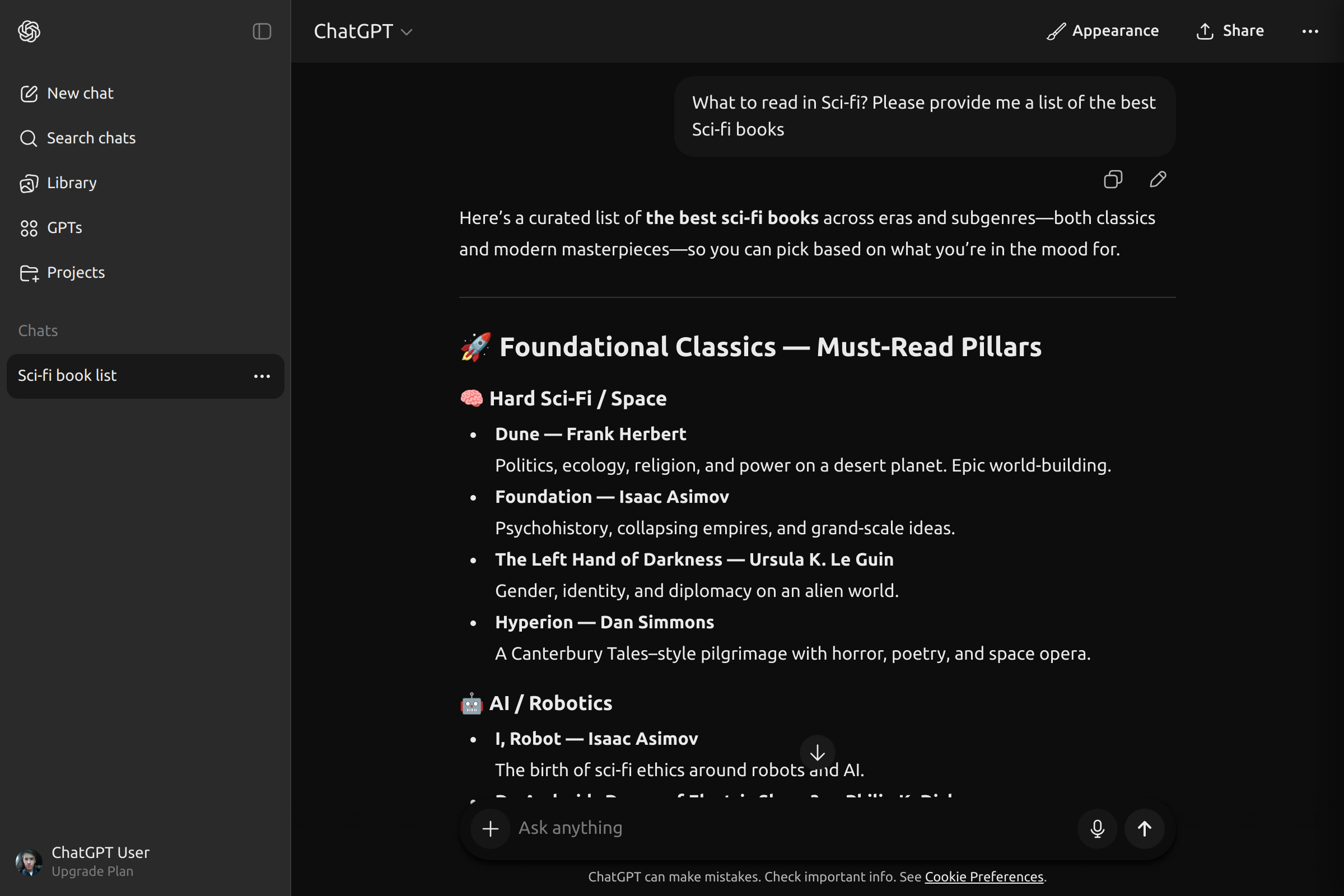
ChatGPT with theme applied ChatGPT with theme applied
Theme applied ✨

Ready to transform your ChatGPT experience?

Trusted by many who already use beautiful themes

Install Extension Now